

Overview
Changing your Shopify store URL is an important step if you're rebranding, updating your business name, or need a change for any other reason.
Though this link is used mostly internally by Shopify as explained in the previous tutorial: What is the myshopify.com URL and where to find it?, it's better to have it change to resemble your business name.
To change it, log in inside your store. If you do not know how please follow this tutorial: How to log in to your Shopify store?.
Before we start you need to understand that this link can be changed only once in your store lifetime. If you need to change it a second time you need to create a new Shopify store with the new myshopify.com URL that you want. So when you change it make sure that the new name is the one that you want.
Where to add it?
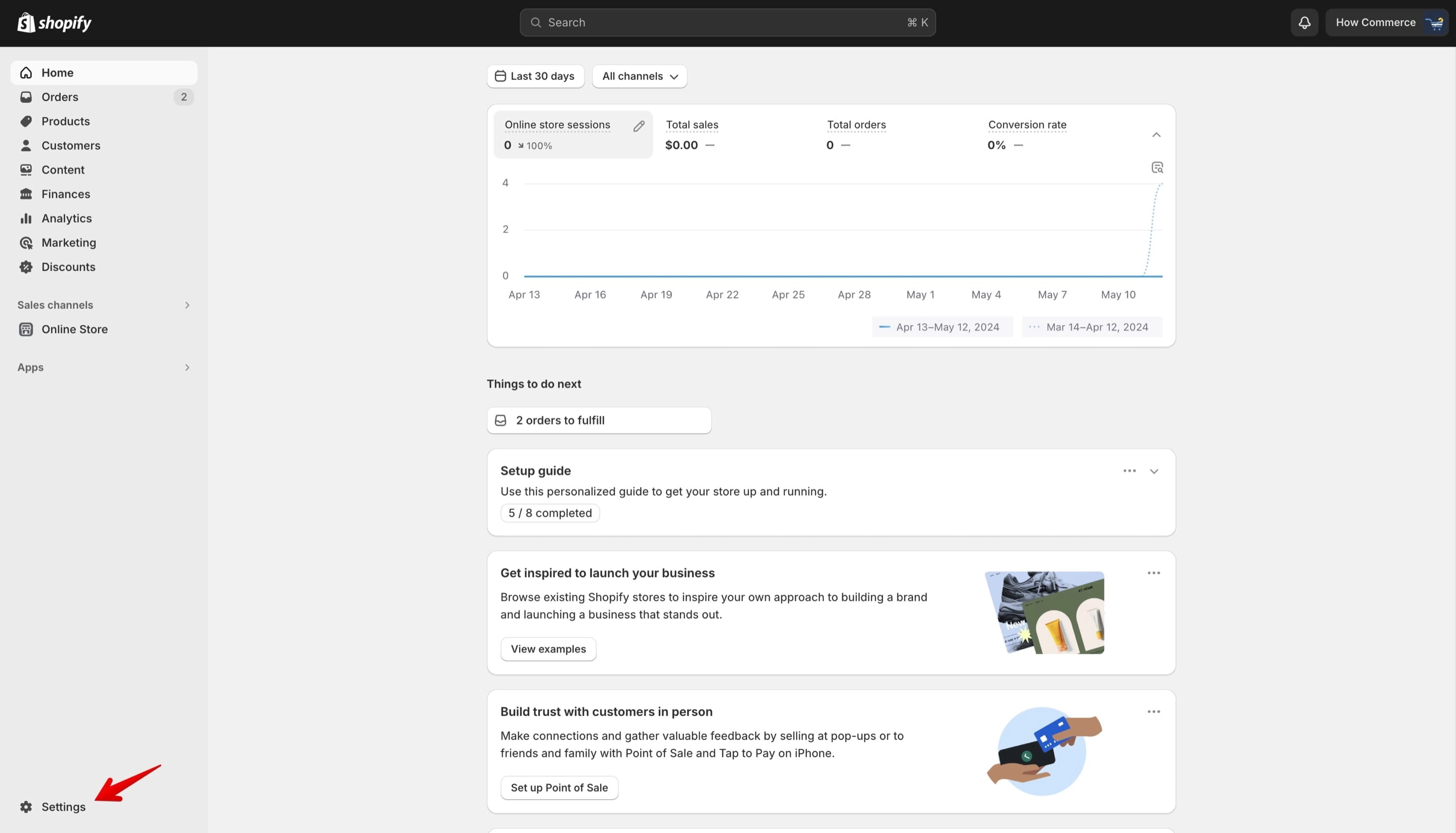
Go to the "Settings" page of your Shopify store:
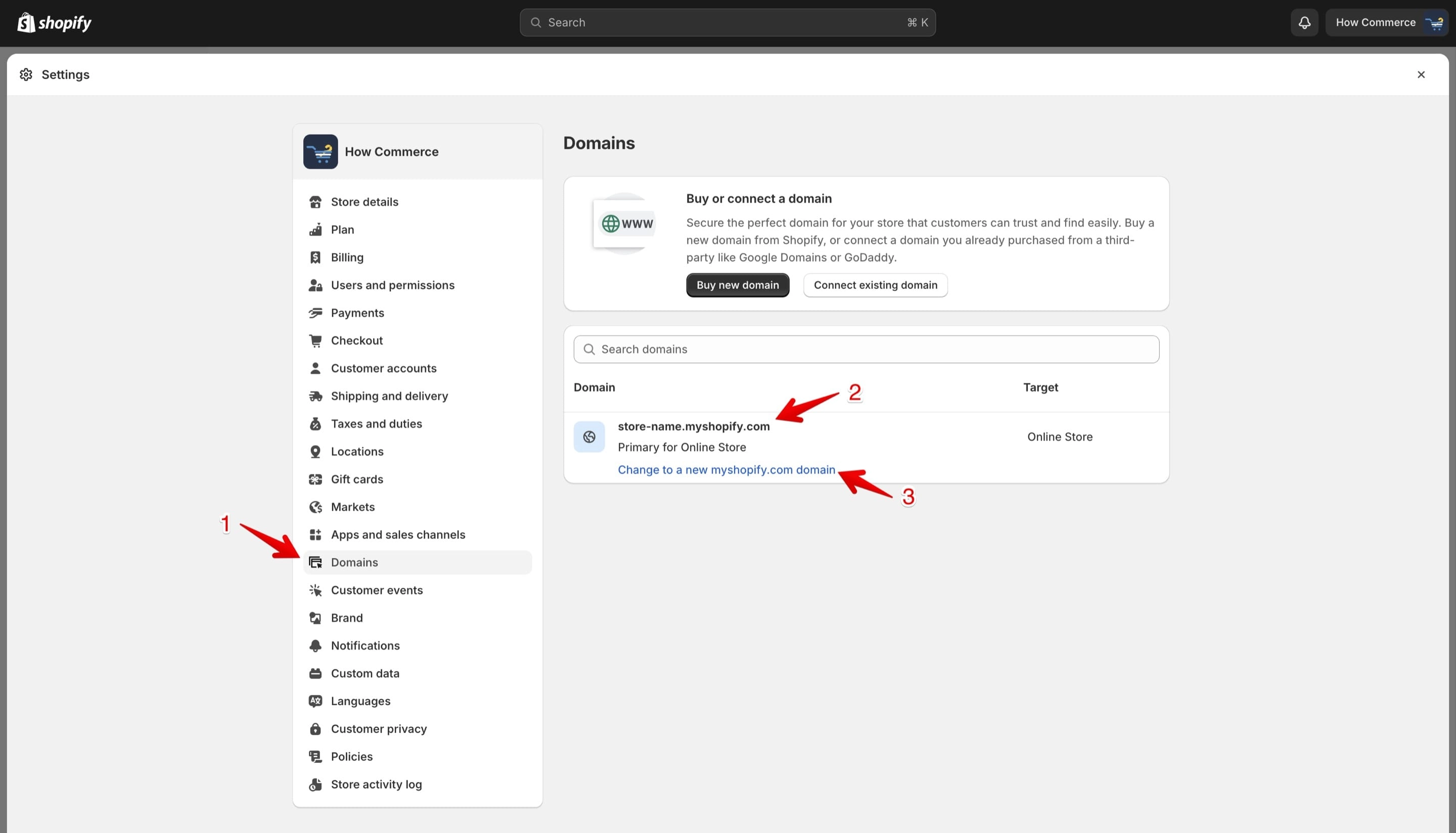
Go to the "Domains" page (marked with 1 in the image below).
You'll see the existing myshopify.com URL (marked with 2 in the image below).
Click on the "Change to a new myshopify.com domain" link (marked with 3 in the image below).
Add your new store name
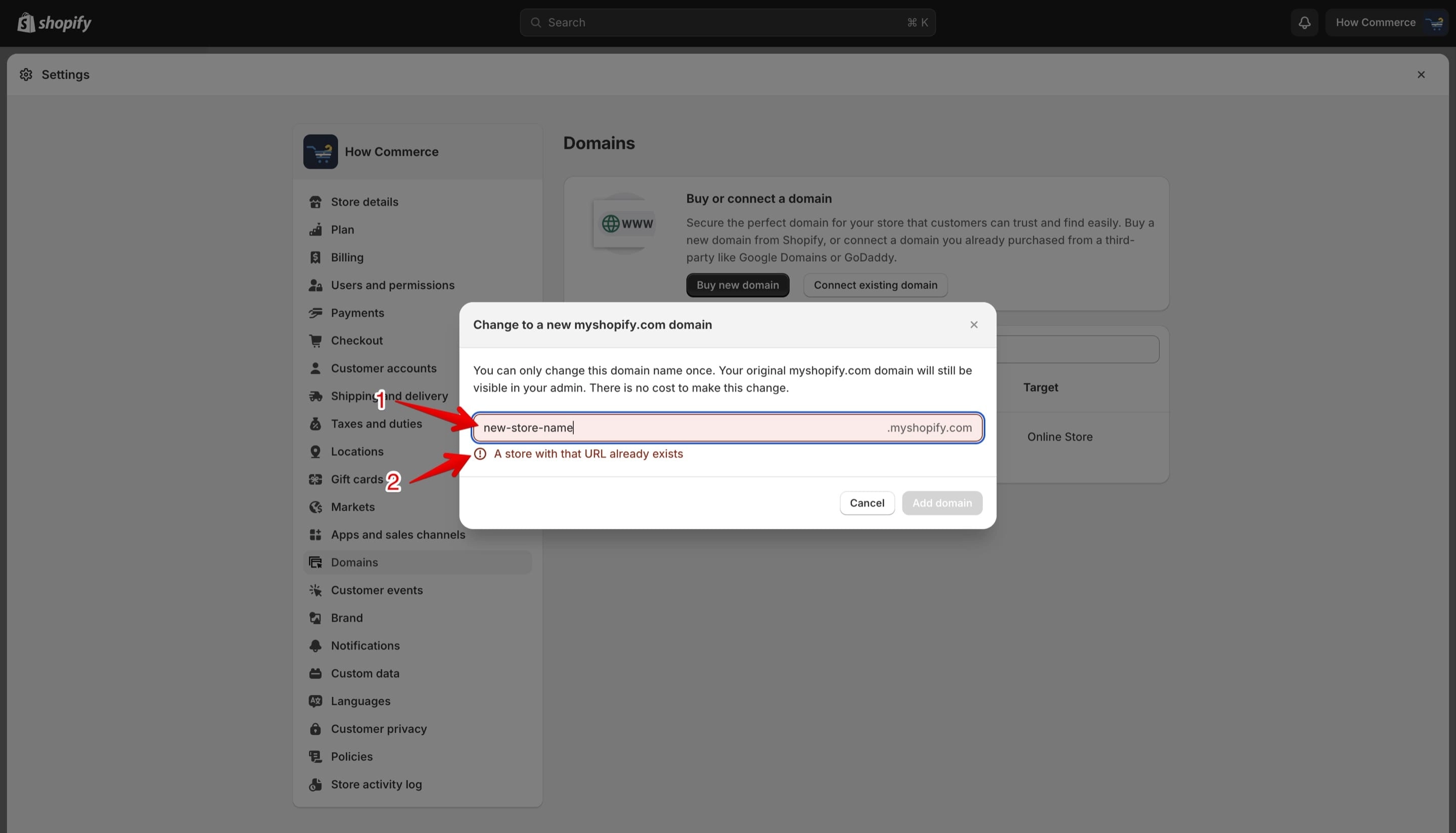
Add your new store name (marked with 1 in the image below).
An error message will display if the store name is taken by some other store owner (marked with 2 in the image below).
If that is the case you need to find a new name.
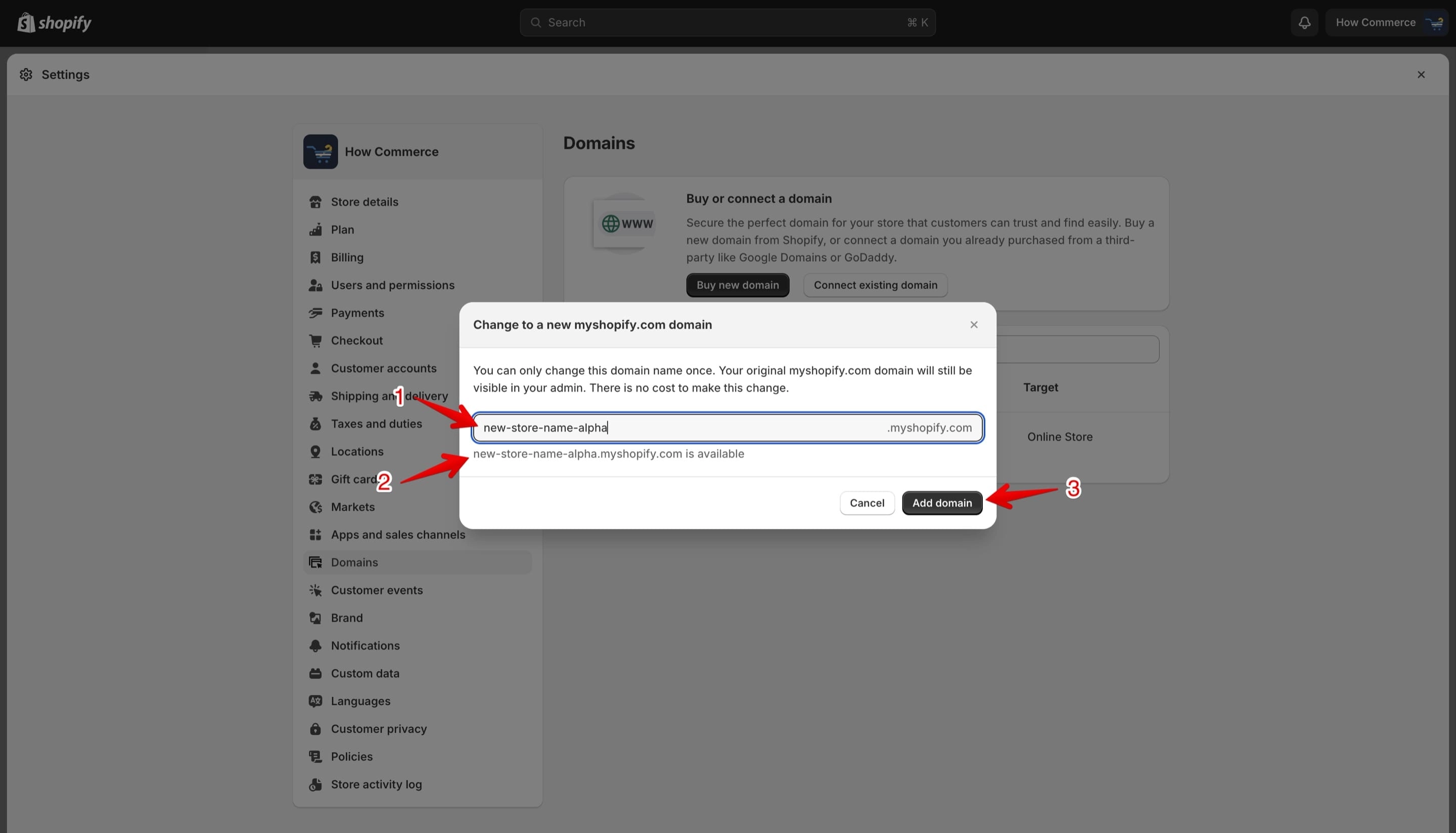
Try a different name until you find one that is available (marked with 1 in the image below).
If the name is available Shopify will list a message notifying you that the new subdomain name is available (marked with 2 in the image below).
Once all is good click on the "Add domain" button (marked with 3 in the image below) to change your myshopify.com URL.
Conclusion
This is a simple answer on how to change the myshopify.com URL. Make sure you get the name correctly from the start in order to avoid changing it. My recommendation is to change it only if you change your business name, this is why it is important to get it right from the first time.